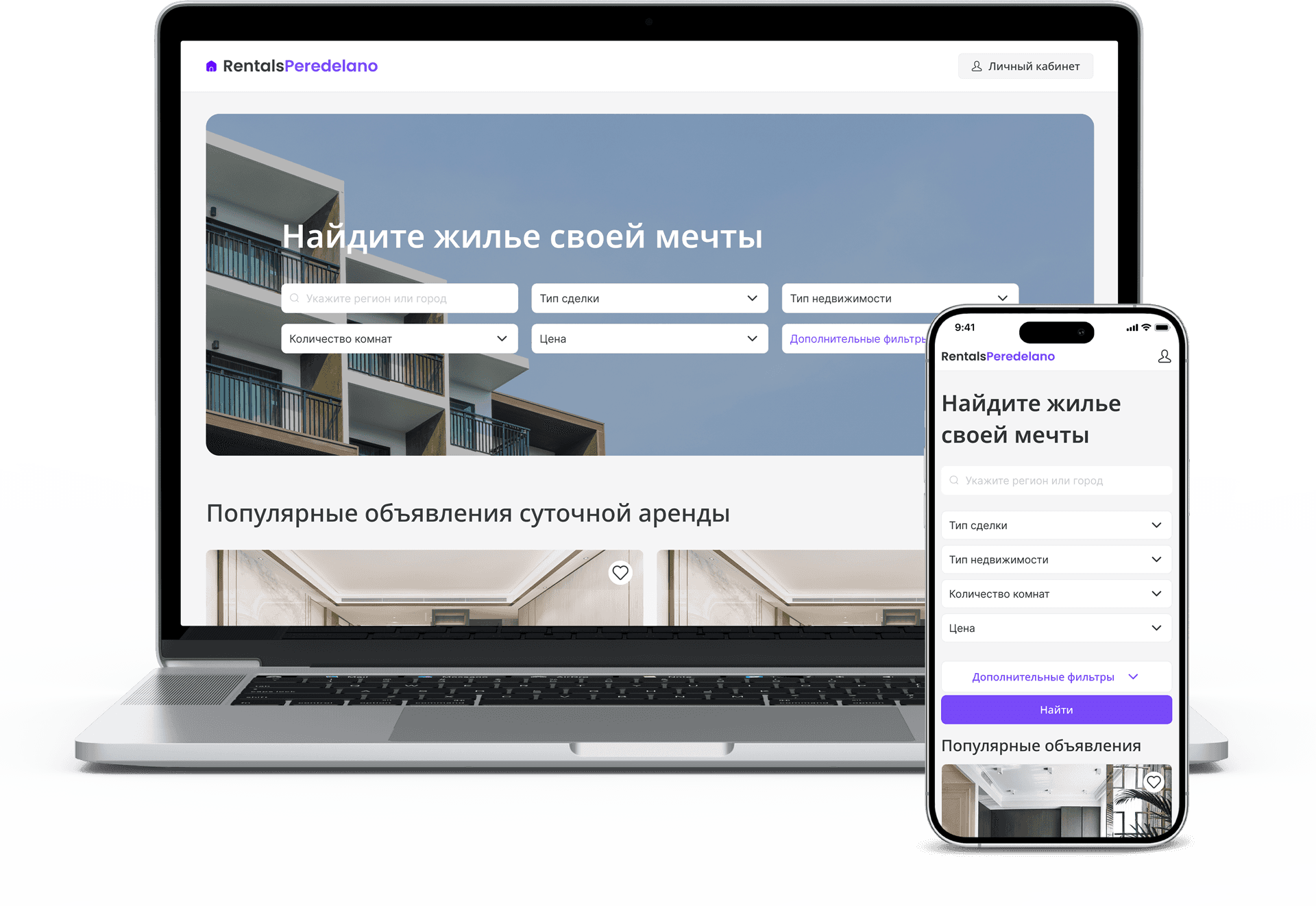
Rentals
A web service for renting apartments
Overview
Problem
Renting a home in another country can be difficult and expensive, especially when large services add high fees.
Solution
A rental service for expats looking for a home and owners who want to list property with less friction.
My roles
- UX design
- Interaction design
- UI design
Features
- Registration and apartment search
- Property listing flow
- Paid promotion tools for listings
The Problem
Expats often face high rental fees, language barriers, limited local knowledge, and difficulty finding trustworthy information. These problems make searching and renting stressful and inefficient.
Objectives
- Affordability — transparent pricing and lower fees
- Choice — a broad range of reliable options
- Accessibility — multilingual search and communication
- Trustworthiness — verified listings and a secure rental process
Scope
The mobile and web product connects expats with affordable accommodation and supports the full journey: search, communication, agreements, and payments.
I moved to Barcelona excited about my new job, but finding a place to live was a nightmare. The fees were much higher than expected, negotiating in Spanish was a struggle, and I was always worried about hidden costs.
Anna Samitch
Solution approach
I designed a mobile-first experience with advanced filters, secure payments, multilingual support, user reviews, and a transparent fee structure. Local experts and reliable property owners help create trust while reducing financial and administrative burden.
Prototyping
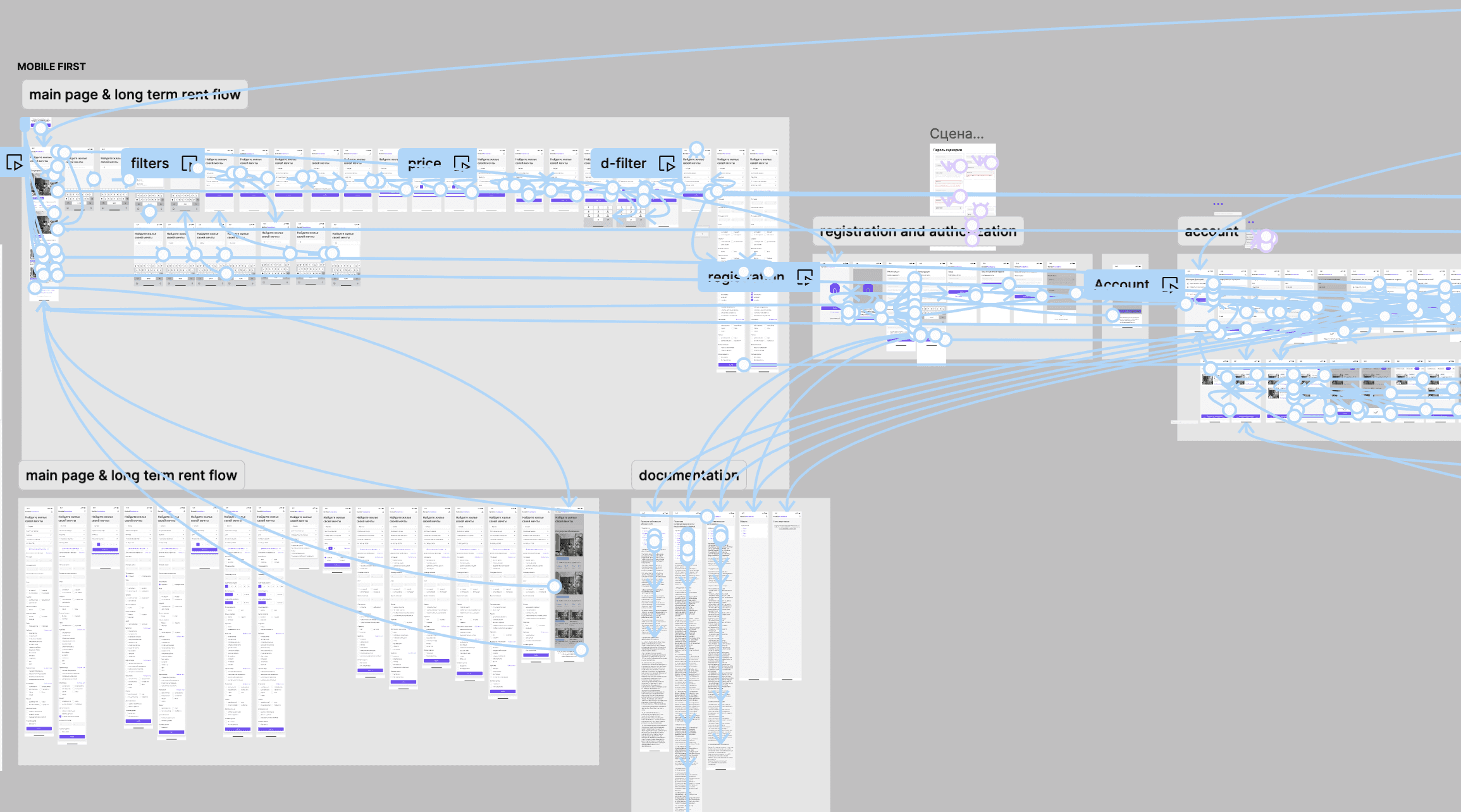
Early prototypes were shared with experts and interview participants to test feasibility and capture both enthusiasm and concern.
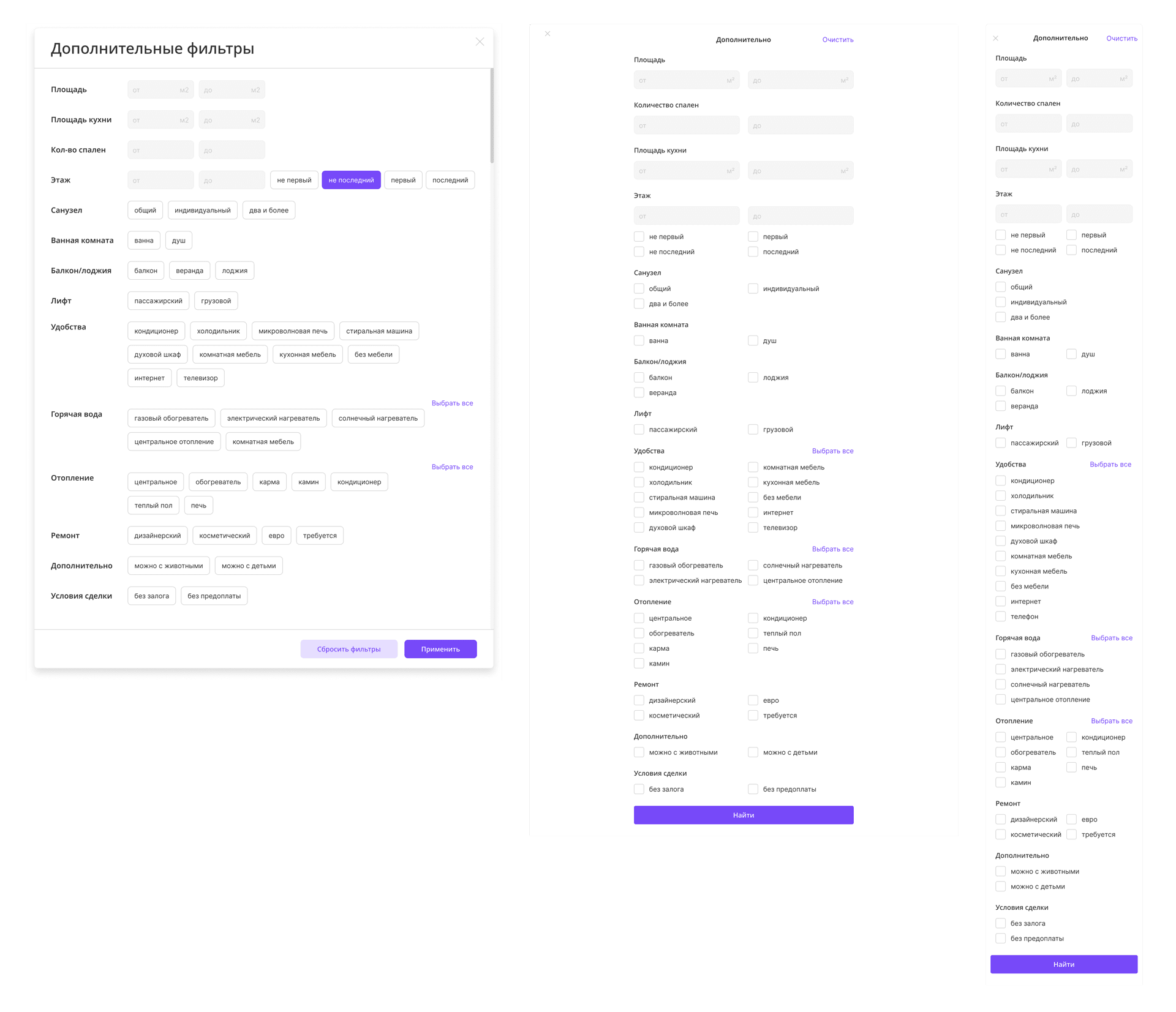
Search filters
Mobile screens have limited space, so a comprehensive filter set can easily become overwhelming. I tested two approaches: showing every filter on one scrollable screen, and hiding filters inside grouped sections.
Almost 90% of participants preferred the first approach. They were willing to scroll because they did not want to miss an important option.
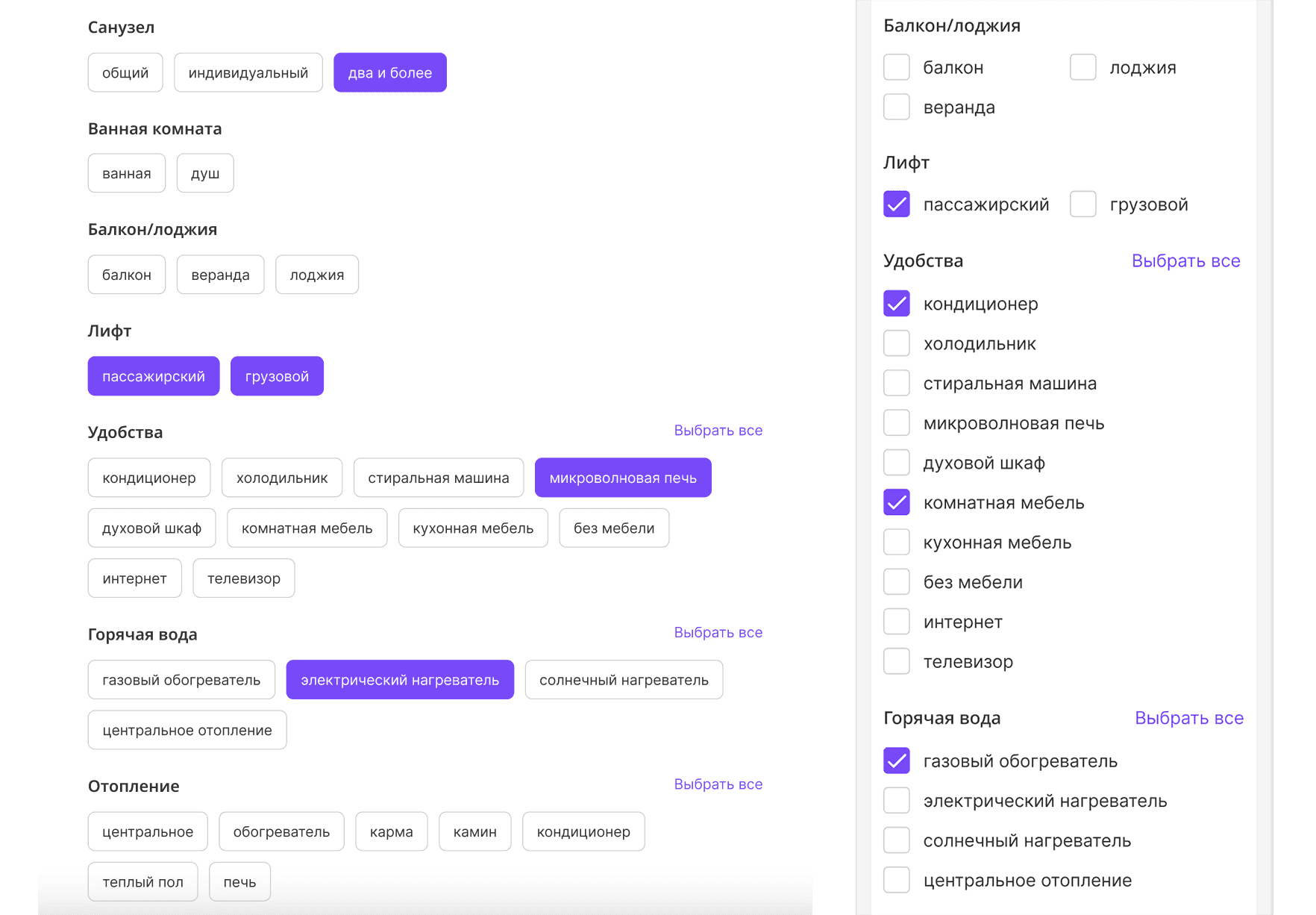
Listing a property
Creating a listing has a similar density problem. On tablet, amenities can use large chip controls, while the compact mobile layout works better with a simpler selection pattern.
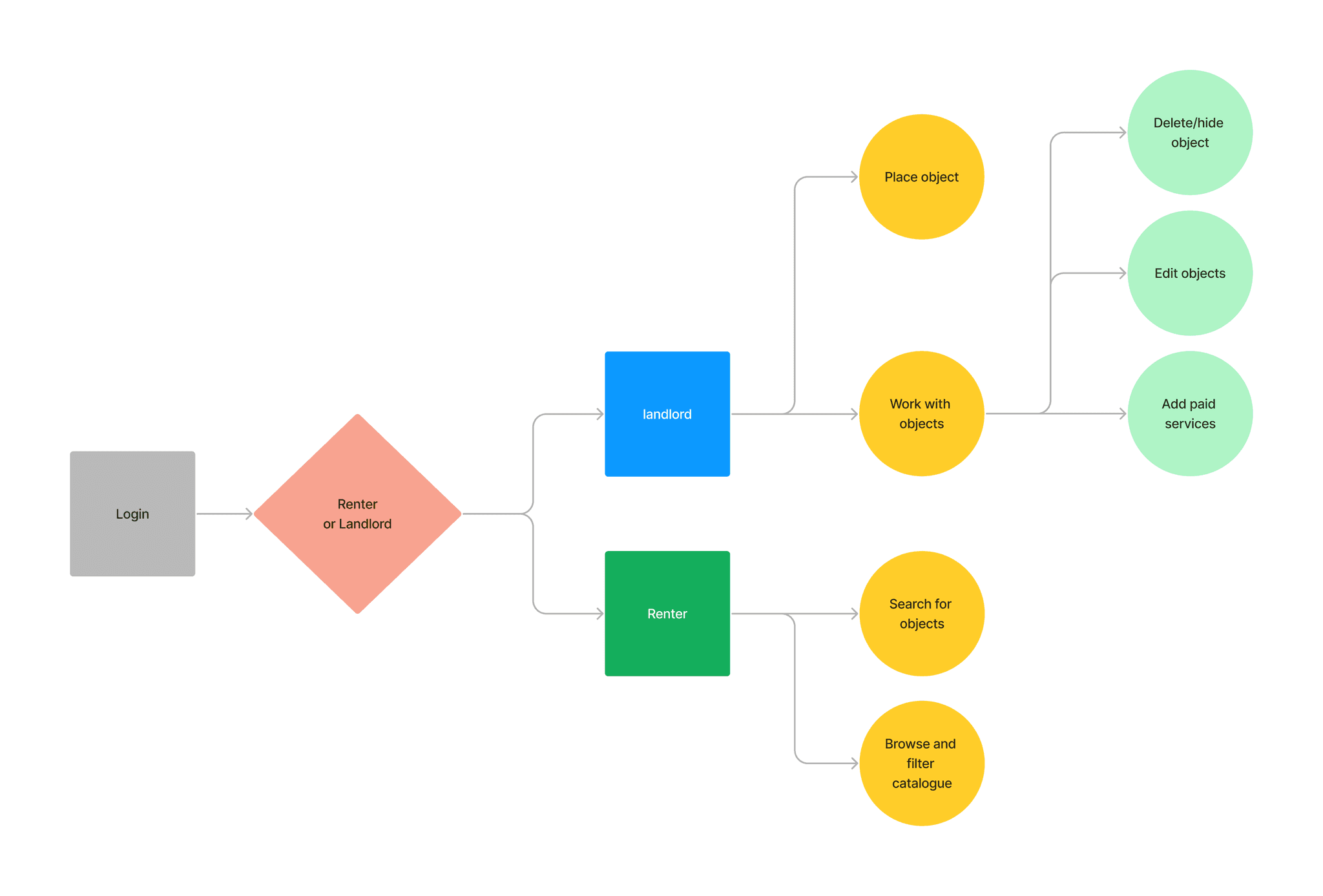
User flows
Renters set preferences, apply filters, browse listings, save favorites, contact owners, and schedule viewings. Landlords create an account, add property details and photos, set contact preferences and availability, and publish the listing.
This is an ongoing project, so further updates will follow.